
AI Transcription
Turning recorded or live speech into text with an AI speech-to-text model. In Microsoft Teams it is switched on during a meeting, and the transcript is what Copilot's meeting recap is built from.
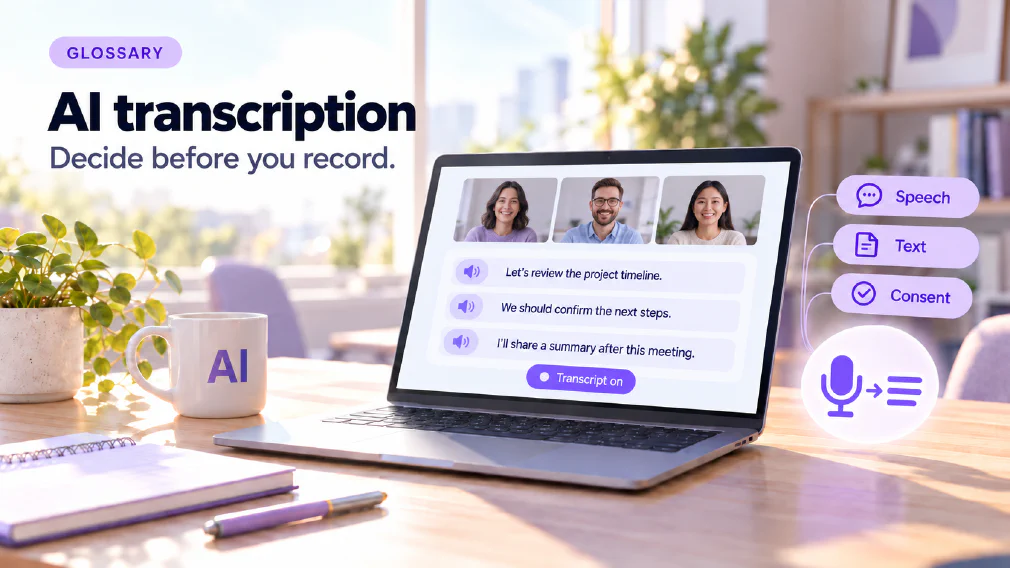
What AI transcription is
AI transcription is turning recorded or live speech into text with an AI speech-to-text model. In Microsoft Teams it is switched on during a meeting, and the transcript is what Copilot’s meeting recap is built from.
The idea sounds like a convenience, and for most meetings it is. This page also treats it as a data question, which is how the site’s own guidance treats it. A transcript is a written record of everything that was said, held in a system, and processed by a tool. That changes what is worth saying aloud in the room.
The page covers what the tool does, how Teams and Copilot use a transcript, why consent comes up, why one line cannot be removed afterwards, how a transcript is used in working life, and the routes into transcription that nobody switched on on purpose.
From speech to text
A speech-to-text model takes audio and produces words. It is the voice side of what the multimodal page describes: models that work with voice as well as text.
What matters for a business is not how the model hears. It is what happens to the words afterwards. A transcript is plain text, so it can be summarised and fed to another tool. That is the benefit, and the next sections cover the cost.
The GenAI FAQ describes the second stage in its answer on always-listening assistants. The speech-to-text model transcribes, and the transcript then goes to a chatbot or agent through its API, which summarises it into notes or a calendar. The transcript is the raw material, and a summary is a second step.
Transcription in Teams and the Copilot recap
In Teams, transcription is something the organiser switches on during a meeting. The GenAI FAQ says it has to be switched on at the time of the meeting. It cannot be added afterwards to a meeting that has already happened.
That has two consequences. The first is about what Copilot can do. The FAQ on transcribing a recording says Copilot cannot turn an existing video or audio file into text. That is a separate capability some other tools have, and for an old recording the advice is to use a dedicated transcription tool instead.
The second is about the recap. The FAQ says Copilot meeting recaps are built from the transcript, so no transcript means no recap. The Microsoft 365 Copilot page covers the assistant itself. For this page, the point is the link: the recap is only as good as the transcript, and it exists only if the transcript does.
Consent in a meeting
When the organiser starts recording or transcription, Teams shows a consent message. The FAQ describes the choice plainly. You can accept and stay, or decline and be disconnected. You cannot opt out while staying in the call.
The same applies to people from inside and outside your organisation. A guest from another company sees the same message and has the same two options.
This is why the choice to switch transcription on is worth making on purpose. Everyone else in the meeting has two choices, and one of them is to leave. The data protection page covers the duties that follow personal data into a transcript, and this page is not legal advice on consent.
Why a transcript is a Data question
The site’s definition of the term says a transcript is a data question as much as a convenience. Two things make it one.
It holds everything. A summary keeps the decisions. A transcript keeps the asides, the names, the figures somebody read out, and the remark nobody meant to be recorded.
It is processed. Once Copilot has processed a transcript, the content is in the system, and the FAQ on forgetting is clear about what that means for removal.
None of this means transcription should not be used. It means the decision to start one should be made on purpose, with the content of the meeting in mind.
Prevention is the only clean Answer
The GenAI FAQ on making Copilot forget is direct. You can delete chats and saved memories, but you cannot make Copilot forget one item from a meeting transcript or a document it has already processed.
The advice that follows is prevention. Do not start transcription or share files when sensitive information could come up, and be open about it if it happens. The FAQ adds two practical steps. Saved memories can be deleted under Settings, Personalisation. And if sensitive data was shared by mistake, tell the people responsible for data protection.
The advice on refusing a transcript says the same thing from the other side: do not record or transcribe meetings where confidential information will come up. The memory page covers what a tool keeps by design. A transcript is different, because it is a record of what was said and not a preference the tool learned.
Working from a transcript
Most of the value of a transcript is what is done with it afterwards, and the site’s courses treat it as a practical skill.
The ChatGPT Enterprise course covers working from meeting transcripts and turning them into minutes. The admin document workflows course produces minutes from a transcript, then minutes built to a template, then an automated minutes agent feeding a progress dashboard.
The prompt engineering page mentions a workshop example in which a meeting transcript, an agenda and a template run through a chain of prompts. The prompt library page uses meeting minutes as its worked case: write the prompt with care once, test it, keep it, and paste in the next transcript to get minutes in the same shape.
The small business article adds a reason this is a good place to start. Summarising meetings and calls into decisions and actions is often the best first task. It happens several times a week, the transcript is the source to check the summary against, and the cost of an error is a corrected line in an internal note. It also shows a team quickly what the output looks like when the tool misreads a name or invents an action nobody agreed. That second point is the hallucination risk in miniature, and the transcript is what makes it checkable.
Tools you did not think of as AI Tools
Not every transcript comes from a meeting someone decided to transcribe. The safe-to-paste article names a quieter route: tools you did not think of as AI tools. Meeting recorders that join calls and transcribe them send customer conversations to a model. They are easy to switch on and hard to notice.
The article’s answer is a list of every tool in use. The AI tool inventory page covers it. You cannot apply a rule to a tool you have not seen, and a recorder that one person added to their calendar is exactly the kind of tool that does not appear on a list until someone looks.
The shadow AI page describes the wider pattern, where use happens outside anything the business has approved or can see. A recorder that nobody listed is an example of it.
Building your own: The Always-Listening Assistant
The GenAI FAQ describes the far end of the idea. An always-listening assistant is possible, but it is a build project and not a setting.
It needs something always running, such as a mini PC or a cloud server, that records continuously and keeps only a rolling buffer, for example the last five minutes. A wake phrase then triggers a speech-to-text model to transcribe that buffer. The transcript goes to a chatbot or agent through its API, which summarises it into notes or a calendar.
The FAQ attaches a warning that matters more than the build steps. It records everyone around you, so check the law and tell people. That is the same consent question as in Teams, with no consent message to rely on.
A worked example
An illustration, not a case study. A small firm uses Teams for client calls. Before a call with a client about a sensitive contract dispute, the organiser decides not to start transcription, and takes notes by hand. For the weekly internal planning meeting, they do start it, and ask the assistant for minutes with decisions and actions.
Someone reads the minutes against the transcript before they go out, and corrects a misheard name. Later the firm lists the tools in use and finds a recorder that one member added to their calendar. It joins client calls and sends them to a model. The firm decides which tool is approved, removes the other, and writes a one-page rule saying which meetings may be transcribed and by what.
Mix-ups worth avoiding
Four confusions come up often enough to name. The first is assuming Copilot can transcribe an old recording, when transcription has to be on at the time. The second is assuming a transcript can be edited out cleanly afterwards, when one item cannot be removed. The third is treating a summary as the source, when the transcript is what to check it against. The fourth is forgetting recorders that joined a call on someone’s own calendar.
How we use it
Working from a transcript is a practical module in several courses. The ChatGPT Enterprise course covers working from meeting transcripts, and the admin document workflows course produces minutes from a transcript. The GenAI FAQ also describes an always-listening assistant as a build project rather than a setting, with a warning that it records everyone nearby.
If you are not sure which recorders and transcription settings your team is using, a discovery call is a quick way to find out.
Sources
- Can I refuse to be recorded or transcribed in a Teams meeting?: the consent message, the recap being built from the transcript and the advice against transcribing confidential meetings.
- Can Copilot transcribe a recording?: transcription switched on at the time, and a dedicated tool for an existing recording.
- Can I make Copilot forget sensitive information?: why one item cannot be removed and why prevention is the answer.
- Can I build an always-listening AI assistant?: the build project and its warning.
- Which AI tasks should a small business start with first?: summarising meetings as a first task.
- Customer data and AI tools: what is safe to paste?: meeting recorders that join calls, and the inventory.
FAQ
Questions about AI Transcription
What is AI Transcription?
Turning recorded or live speech into text with an AI speech-to-text model. In Microsoft Teams it is switched on during a meeting, and the transcript is what Copilot's meeting recap is built from.
Can I refuse to be recorded or transcribed in a Teams meeting?
Can Copilot transcribe an Existing recording?
No. The GenAI FAQ says turning an existing video or audio file into text is a separate capability that Copilot does not have. For Teams meetings, transcription has to be switched on at the time; for an existing recording, use a dedicated transcription tool.
Can I refuse to be transcribed in a Teams meeting?
Only by leaving the meeting. When the organiser starts recording or transcription, Teams shows a consent message: you can accept and stay, or decline and be disconnected. No transcript also means no Copilot recap.
Can I refuse to be recorded or transcribed in a Teams meeting?
What is a Copilot meeting recap built from?
The transcript. The GenAI FAQ says Copilot meeting recaps are built from the transcript, so a meeting with no transcript has no recap. That is why the choice to transcribe is also the choice to have Copilot process what was said.
Microsoft 365 CopilotCan I refuse to be recorded or transcribed in a Teams meeting?
Can Copilot forget one item from a transcript?
Not cleanly. The GenAI FAQ says chats and saved memories can be deleted, but one item from a transcript or document Copilot has already processed cannot be removed. If sensitive data was shared by mistake, tell the people responsible for data protection.
Can I make Copilot forget Sensitive Information?Data Protection
When should a meeting not be transcribed?
When confidential information will come up. The GenAI FAQ's advice is prevention: do not start transcription in such a meeting, because the transcript cannot be partly undone afterwards.
Can I refuse to be recorded or transcribed in a Teams meeting?
Is a transcript a Good Source to check against?
Yes. The small business article says summarising meetings is often the best first AI task, partly because the transcript is the source to check the summary against, and an error costs a corrected line in an internal note.
Can I build an Always-Listening Assistant?
Yes, but the GenAI FAQ calls it a build project and not a setting. It needs something always running, a rolling buffer and a wake phrase that triggers a speech-to-text model. It records everyone nearby, so check the law and tell people.
What it means for a Business
A transcript is a data question as much as a convenience. The GenAI FAQ's advice is prevention: do not start transcription where confidential information could come up, because Copilot cannot be made to forget one item from a transcript it has already processed.
Ready to Put This to Work?
Tell us where your team is with AI and we will tell you honestly what would make the biggest difference.