
Copilot Chat
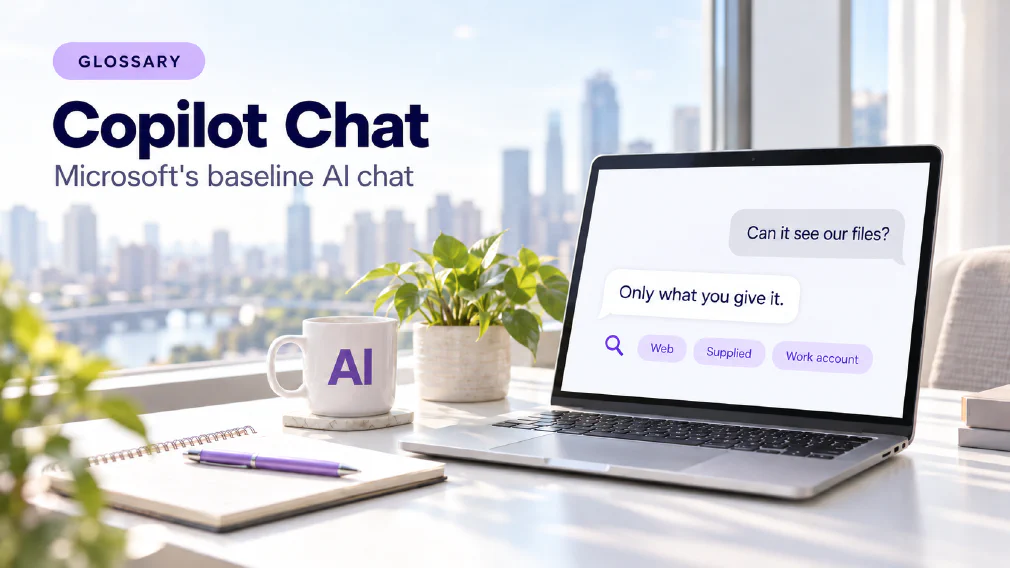
The baseline AI chat that comes with eligible Microsoft 365 licences. It answers from the web and from content a user supplies, while automatic access to emails, files, meetings and calendars through Microsoft Graph comes only with the paid Microsoft 365 Copilot add-on.
What Copilot Chat is
Copilot Chat is the baseline AI chat that comes with eligible Microsoft 365 licences. It answers from the web and from whatever a user supplies. It does not reach into a business’s own emails, files, meetings and calendars on its own. That automatic reach comes only with the paid Microsoft 365 Copilot add-on.
The comparison of Copilot Chat and Microsoft 365 Copilot is clear that the two sound like one product with two names, and that Microsoft has renamed both more than once. This page uses the names the licence documentation still uses. Copilot Chat is the one most organisations actually hold, so it is often where Copilot work starts.
Three Licence positions, not two
The search is usually “Copilot Chat versus Copilot”, which assumes two products. The comparison reports that Microsoft’s overview draws three columns, and the middle one is where the confusion sits.
Copilot Chat is the standalone chat. Users reach it through a browser page, through Copilot Chat in Edge, and through chat inside Outlook and Teams. The middle position is for users who do not hold the add-on but still have standard access to Copilot inside Word, Excel, PowerPoint and OneNote. Microsoft describes that access as subject to service capacity, so it can vary through the day. The third position is the full add-on, with priority access to those same apps and the deeper features. Labels inside the apps tell users which of the three they are actually using.
What it can read
The practical gap is grounding. A response can be grounded in the public web, in a business’s own data, or in both, and the answer to “what does it know about our work?” changes with the licence.
The comparison cites Microsoft’s documentation that Copilot Chat cannot use organisational data through Microsoft Graph. A user has to bring the content: paste it, upload a file, use Copilot Chat inside Outlook or Teams with content already open, or use an agent that has been given access. The user decides, prompt by prompt, what the assistant sees.
The add-on pulls that context in without being asked. It is grounded in emails, files, meetings and calendars through Microsoft Graph, and a user can point it at particular files without uploading them. In the apps, the list of tasks is much the same on the paid positions. What the add-on changes is the amount of the business the assistant can draw on while doing them, and how reliably it is available at busy times.
What Enterprise Data Protection covers
The comparison reports Microsoft’s statement that all three positions are covered by Enterprise Data Protection when users sign in with a work account, so prompts and responses fall under the same contractual terms as email and files. It also reports Microsoft’s statement that prompts, responses and data accessed through Microsoft Graph are not used to train the foundation models behind Copilot. For EU users, Microsoft states that traffic stays within the EU Data Boundary. This page quotes those statements as Microsoft’s and does not verify them.
Three qualifications are worth reading and not assuming. The protection depends on the sign-in. Microsoft lists several entry points that also accept a personal account, and a personal sign-in is outside the protection, so a business needs staff on work accounts. Second, the comparison notes that models from one third-party subprocessor are currently excluded from the EU Data Boundary, which is a setting to confirm with the administrator when data residency matters. Third, Copilot keeps a record: prompts and responses are stored as activity history, which administrators can govern with retention policies.
For what a protection commitment does and does not cover, see data protection. The comparison also says Microsoft states compliance with GDPR and a commitment to comply with the EU AI Act. Those are the vendor’s statements, and the business’s own obligations are unchanged.
Where Agents fit
The comparison says the boundary on agents is easy to miss. Agents built on instructions and public websites are included with Copilot Chat. Agents that use work data are usage-based unless the add-on is held. A business can therefore build useful AI agents on the baseline licence, provided what they read is public or supplied, and add work-data agents on a metered basis without buying the add-on for every seat.
What an administrator controls
Microsoft’s Copilot controls sit in one admin area and cover all three positions. The comparison lists them: whether Copilot Chat is pinned in the Microsoft 365 app, whether users can generate images, how agents are created and used, and whether web search grounding is allowed. Access can be removed entirely, and a dedicated AI Administrator role manages the settings without full Global Administrator rights. The add-on adds advanced controls and analytics on top.
Usage reporting is split in two. One report covers chat activity across all licences: active users, prompts submitted and prompts per user. A second covers use of Copilot inside the apps and needs the middle or full licence. Read together, they show whether staff use a chat window or the assistant embedded in their work, which is the evidence needed to decide who should hold the add-on.
Starting on Copilot Chat, adding the add-on later
The add-on is a licence held by one user, so an organisation can start on Copilot Chat and give the add-on first to the roles that need work-wide context. The comparison says Microsoft’s own licence structure supports that phased path, and that starting on the baseline gives an administrator usage data before any wider purchase.
It also has a security argument. The add-on only surfaces organisational data the user can already open, so a file shared more widely than it should be becomes retrievable by a plain question. Copilot Chat carries less of that exposure, because it cannot reach anything the user does not supply. The matching risk runs the other way: with the baseline licence, the quality of the result depends on what each person chooses to paste.
What staff need to bring
On the baseline licence the user is the connection to the business’s content. That makes habits more important than settings. Staff need to know what is worth supplying, what must never be pasted, and how to write a prompt that holds up, which is the subject of prompt engineering. They also need to check the output. The comparison reports Microsoft’s own documentation saying generated content is not guaranteed to be factual, so the larger licence changes what the assistant can see and not the need to read what it wrote. See hallucination.
The Using Copilot Chat course is built for exactly this position: organisations whose licence covers Copilot Chat only. It covers what Work Mode and Web Mode are grounded in and why that matters, how to write prompts that hold up, scheduled prompts, reusable templates and agents.
A worked example
This is an illustration, not a real client. A small firm holds Microsoft 365 licences that include Copilot Chat. Nobody has bought the add-on. Staff use Copilot Chat to rewrite client emails, summarise a document they have opened and draft meeting notes from a transcript they paste in.
An administrator reads the chat usage report and sees which people use it daily. Two roles keep asking for things the baseline cannot do, such as finding what was said across a mailbox and a shared library three weeks ago. The firm reviews who can open what in its shared sites, then gives the add-on to those two roles. The rest of the firm stays on the baseline. The purchase followed the evidence, and not the name on the product.
Mix-ups worth avoiding
Four confusions come up often enough to name. The first is assuming Copilot Chat sees the company’s files. It does not, unless a user supplies them or an agent is given access. The second is assuming the protection applies to every sign-in. It applies to a work account, and personal sign-ins sit outside it.
The third is assuming the add-on is the only way to build an agent. Agents on instructions and public sources come with the baseline licence. The fourth is assuming the larger licence makes the output trustworthy. It widens what the assistant can read and leaves the checking with the person.
Where it goes wrong
One failure is buying the add-on for everyone because it carries the name, then finding that most seats use it as a chat window. Another is leaving personal sign-ins open, so staff paste business content into an entry point the protection does not cover. A third is switching on the add-on before anyone reviews sharing permissions.
The last is skipping the question of ownership. Someone has to own what the assistant is allowed to reach and what staff are told to supply. That is an AI governance question and not only a licensing one.
Where it appears in an Audit
The comparison says its decision is exactly the one the Identify step of an audit is built to answer: which processes depend on organisational data, what the current licence already covers, and where the add-on would change the work. Mapping that first stops the add-on being bought by default.
If you want that mapped for your own licences, a discovery call is the quickest way to find out which roles need more than Copilot Chat and which do not.
Sources
- Copilot Chat vs Microsoft 365 Copilot: the three licence positions, the grounding difference, Enterprise Data Protection and the EU Data Boundary as Microsoft states them, the sign-in condition, agents on each position, the administrator controls and reports, the phased rollout and the permissions caution.
- Using Copilot Chat: what the course covers for organisations whose licence is Copilot Chat only.
- How we audit: the Identify step.
FAQ
Questions about Copilot Chat
What is Copilot Chat?
The baseline AI chat that comes with eligible Microsoft 365 licences. It answers from the web and from content a user supplies. Automatic access to emails, files, meetings and calendars through Microsoft Graph comes only with the paid Microsoft 365 Copilot add-on.
Microsoft 365 CopilotCopilot Chat vs Microsoft 365 Copilot: Which does your Business need?
How is Copilot Chat Different from Microsoft 365 Copilot?
The comparison describes three licence positions, not two. Copilot Chat works from the web and what a user supplies. A middle position adds standard, capacity-dependent access inside Word, Excel, PowerPoint and OneNote. The full add-on adds priority access, automatic work data and advanced controls.
Copilot Chat vs Microsoft 365 Copilot: Which does your Business need?
Is Copilot Chat Safe to use with Business Data?
The comparison reports Microsoft's statement that Copilot Chat is covered by Enterprise Data Protection when staff sign in with a work account. Several entry points also accept a personal account, and a personal sign-in is outside that protection, so a business should confirm staff use work accounts.
Data ProtectionCopilot Chat vs Microsoft 365 Copilot: Which does your Business need?
Does Copilot Chat see my company's Emails and Documents?
Not automatically. The comparison cites Microsoft's documentation that Copilot Chat cannot use organisational data through Microsoft Graph. It works with what you paste, upload or have open in Outlook and Teams, or with an agent given access.
GroundingCopilot Chat vs Microsoft 365 Copilot: Which does your Business need?
Do our Prompts train Microsoft's Models?
Microsoft states that prompts, responses and data accessed through Microsoft Graph are not used to train the foundation models behind Copilot. The comparison reports that statement and does not verify it. It also notes that prompts and responses are stored as activity history, which administrators can govern with retention policies.
Copilot Chat vs Microsoft 365 Copilot: Which does your Business need?
Can we start with Copilot Chat and add Microsoft 365 Copilot later?
Yes. The add-on is a licence held by one user, so it can be given first to the roles that need work-wide context. The comparison says Microsoft's licence structure supports this path, and that starting on the baseline gives an administrator usage data before any wider purchase.
Copilot Chat vs Microsoft 365 Copilot: Which does your Business need?
What can an administrator Control in Copilot Chat?
The comparison lists whether Copilot Chat is pinned in the Microsoft 365 app, whether users can generate images, how agents are created and used, and whether web search grounding is allowed. Access can be removed entirely, and an AI Administrator role manages the settings.
Copilot Chat vs Microsoft 365 Copilot: Which does your Business need?
Can we build Agents on Copilot Chat?
Yes, within limits. The comparison says agents built on instructions and public websites are included with Copilot Chat, while agents that use work data are usage-based unless the add-on is held. What an agent reads decides which side of that line it falls on.
What it means for a Business
Copilot Chat is the licence most organisations actually hold, so it is often where Copilot work starts. Microsoft states that it is covered by Enterprise Data Protection when staff sign in with a work account; a personal sign-in falls outside that protection.
Ready to Put This to Work?
Tell us where your team is with AI and we will tell you honestly what would make the biggest difference.