
Model Context Protocol (MCP)
An open standard for linking AI assistants and agents to other systems, so they can read from and act in tools such as document storage, email or a business application. A connection built on it is often called an MCP server.
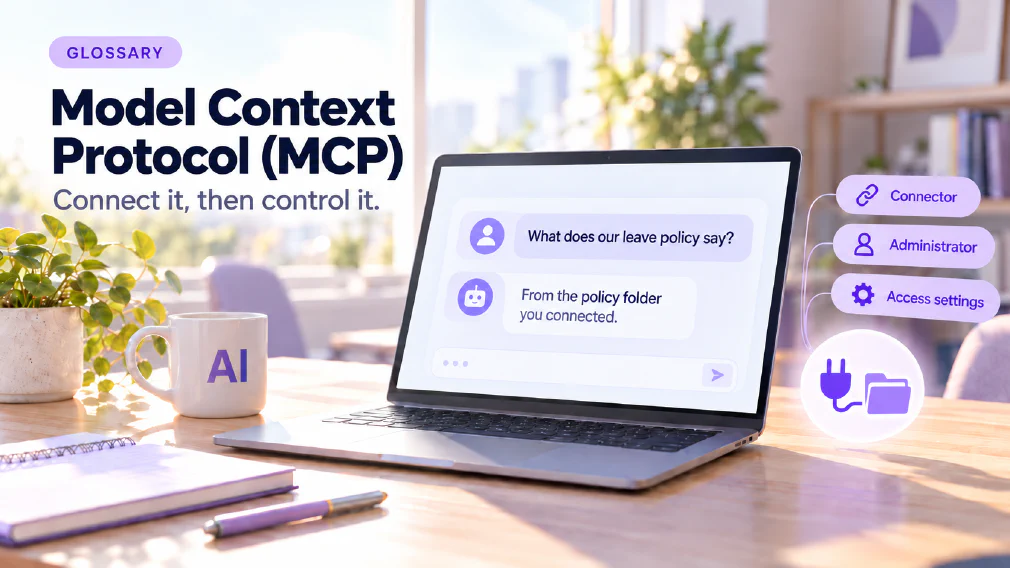
What the Model Context Protocol is
The Model Context Protocol, usually shortened to MCP, is an open standard for linking AI assistants and agents to other systems. It lets them read from and act in tools such as document storage, email or a business application. A connection built on it is often called an MCP server.
The site’s Claude and ChatGPT comparison describes it in one line: an open standard for linking assistants to other systems. That is the level this page works at. It does not explain how the protocol is built. It explains what it is for, what it changes about an assistant, and why the people who run a business’s accounts should care about it before anyone connects anything.
Why Assistants need a connection
An assistant on its own works with what is typed into the chat and what it already knows. It cannot see a shared drive, read a mailbox or check a calendar unless something connects it to them.
The AI agent page makes the point with the idea of a connector. A connector is what turns a text assistant into one that can reach something outside the chat. The personalisation session shows the difference with a calendar administrator: a tool-based agent with a live calendar connection, which can act on a diary and not just talk about one.
That is the job MCP does. It is an open standard for making the connection, so that an assistant can read from and act in the tools a business already uses.
Connectors and MCP servers
Two words come up together and are worth separating.
A connector is the general idea: a link between an assistant and another system. The Claude and ChatGPT comparison lists what Claude’s Team plan includes. These are connectors to workplace tools, covering document storage, email, calendars, code repositories, office suites and team chat, so that the assistant can search documents, email, calendars and team messages.
An MCP server is one kind of connection, built on the protocol. The AI agents in action course covers MCP servers in its section on giving an agent powers, alongside tools and flows, Power Automate, configuring connectors and user authentication. In Copilot Studio, the same idea appears as tools and flows, MCP servers, connections and user authentication.
The distinction matters because a business does not usually build these from scratch. It switches on, restricts or builds a connection, and the interesting questions are which system, which permissions and who approved it.
What it looks like in Business plans
The comparison reports two different situations.
Claude’s Team plan includes ready-made connectors to workplace tools. Enterprise adds custom connectors built on the Model Context Protocol, so a business can connect a system of its own, one no ready-made connector covers. The same review lists per-tool permissions on connectors and audit logs among what Enterprise adds for administrators.
ChatGPT offers projects and connected-app options of its own, and its API supports the same pattern of building a product around the model. The comparison puts the row in its table plainly: for connecting to documents, Claude has connectors, shared projects and custom connectors on Enterprise, and ChatGPT has projects and connected apps, plus the API.
The review does not claim a feature-by-feature match, and neither does this page. What it says is that both tools can be connected, both are controlled by an administrator, and the useful question is fit and not features.
The Assistant sees what an administrator connects
The sentence in the site’s definition of this term that matters most is the last one: the assistant sees what an administrator connects and no more.
The comparison says it twice. Neither tool connects to a company’s documents without an administrator turning it on. And in both cases the assistant sees what an administrator connects, no more. The review’s conclusion is that this makes the choice a governance decision first and a feature decision second.
That reverses the way most people think about it. The question is not which assistant has the most connectors. It is which systems the business is willing to expose, to whom, with what permissions, and with what record kept. A connector that reaches everything is a risk. A connector scoped to one folder or one calendar is a tool.
Access Settings are the Real Control
The site’s definition says it directly: a connector widens what an assistant can see and do, so the access settings matter more than the tool.
Three practical points follow from the comparison and from the site’s other pages.
Start with one real task. The review suggests picking one, such as answering a customer question from three internal documents, and running it with the same source material. The result says more about fit than any feature comparison, and it shows quickly where the human checking step sits.
Scope the connection. The assistant should reach the documents the task needs, and not a whole drive. The grounding page covers why answering from specific source material is better than answering from general knowledge, and a narrow connection is how that is done in practice.
Remember that connected material can come back. The safe-to-paste article warns that memory features, saved instructions and connected folders mean a detail typed or shared once can surface in a different conversation, or in a shared workspace. A connection is not a one-off disclosure. It is an ongoing one, and it needs the same care as any other standing access.
MCP, APIs and Agents
An API and MCP are related and not the same. The API integration page describes an API as the published interface one system uses to call another. MCP is an open standard for linking assistants to other systems. The Mistral Le Chat workshop covers both, in a block on how AI connects to other tools, what APIs do, what MCP means and why connectors matter for advanced workflows.
The connection to AI agents is direct. An agent is useful because of what it can do, and what it can do is set by the tools it is given. MCP is one way of giving them. The agentic AI page describes systems that carry out steps with the tools they are given, and the more an agent is connected, the more that description applies.
What it does not change
A connection does not make an assistant correct. The comparison says neither tool removes the human checking step, because a model can sound sure and still be wrong, which is what a hallucination is, and output bound for a customer needs a reader before it goes out.
It does not remove the need for rules either. The same duties apply to what is connected: GDPR cares where the data goes, and the human in the loop page covers who reviews what the assistant does with it.
And it does not make every tool equal. The comparison is explicit that it does not claim a feature-by-feature match and that the right starting point for the choice is a requirement, such as where data must sit, not a preference for a model.
A worked example
An illustration, not a case study. A business wants an assistant to answer staff questions from three internal policy documents. An administrator connects only the folder that holds those three documents. The assistant can now search them and cite from them, and it cannot see the rest of the drive.
A staff member asks a question and gets an answer drawn from one document, with the passage named. The administrator can see which connection exists and who approved it. If the policy folder changes, the answers change with it. If the business later wants the assistant to read a calendar as well, that is a second connection with its own decision, and not an automatic extension of the first.
Mix-ups worth avoiding
Four confusions come up often enough to name. The first is treating MCP as a product, when it is an open standard that tools adopt. The second is treating a connection as a feature to switch on, when it is a governance decision about what the assistant may see. The third is assuming a connected assistant is accurate because it is reading real documents, when it can still be wrong. The fourth is treating MCP and an API as the same thing.
How we use it
MCP is taught as part of building agents. The AI agents in action course covers MCP servers under giving an agent its tools, and the Mistral Le Chat workshop covers how AI connects to tools, what APIs do, what MCP means and why connectors matter for advanced workflows.
If you are deciding what an assistant should be connected to, a discovery call is a quick way to start.
Sources
- Claude vs ChatGPT for business: the open standard, the connectors in each plan, the administrator’s role and access settings as the real control.
- AI agents in action: MCP servers under giving an agent its tools.
- Mistral Le Chat workshop: connectors, APIs and what MCP means.
- AI agent and API integration: connectors turning an assistant into one that reaches outside the chat, and the published-interface description of an API.
- Customer data and AI tools: what is safe to paste?: connected folders letting a detail resurface.
FAQ
Questions about Model Context Protocol (MCP)
What is the Model Context Protocol?
An open standard for linking AI assistants and agents to other systems, so they can read from and act in tools such as document storage, email or a business application. The Claude and ChatGPT comparison describes it in exactly those terms.
What is an MCP server?
It is a connection, built on the Model Context Protocol, that gives an AI assistant or agent access to another system. The AI agents in action course covers MCP servers alongside tools, flows and Power Automate as ways of giving an agent powers.
Which Business AI Tools Support MCP?
The Claude and ChatGPT comparison reports that Claude's Enterprise plan adds custom connectors built on the Model Context Protocol, while ChatGPT offers projects and connected-app options of its own. In both cases the assistant only sees what an administrator connects.
Is MCP the same as an API?
No. An API is the published interface one system uses to call another. The Model Context Protocol is an open standard for linking assistants to other systems. The Mistral workshop teaches what each one means, because both come up when AI is connected to tools.
API IntegrationMistral Le Chat Workshop: From Chatbot to Personalised AI Agents
Does MCP let an Assistant see everything?
No. The comparison says that in both tools the assistant sees what an administrator connects, no more, and that neither connects to a company's documents without an administrator turning it on. That is why access settings are the real control.
Who decides what an Assistant can connect to?
An administrator. The comparison calls this a governance decision first and a feature decision second. It also lists per-tool permissions on connectors and audit logs among what Claude's Enterprise plan adds for administrators.
Claude vs ChatGPT: Which fits your Business Best?AI Governance
Does a connection remove the need for a Human check?
No. The comparison says neither tool removes the human checking step, because a model can sound sure and still be wrong, and output bound for a customer needs a reader before it goes out.
Where is MCP taught?
As part of building agents. The AI agents in action course covers MCP servers under giving an agent its tools, and the Mistral Le Chat workshop covers what MCP means and why connectors matter for advanced workflows.
AI Agents in action: Practical use with Microsoft CopilotMistral Le Chat Workshop: From Chatbot to Personalised AI Agents
What it means for a Business
A connector widens what an assistant can see and do, so the access settings matter more than the tool. In the business plans the Claude and ChatGPT comparison covers, the assistant sees what an administrator connects and no more.
Ready to Put This to Work?
Tell us where your team is with AI and we will tell you honestly what would make the biggest difference.